
How to show prices only to registered wholesale customers (without losing Google)
For the wholesaler who does not want the public or competitors seeing their price, but does not want an invisible store either. The three ways to hide prices, what happens to Google with each, how sign-up with approval works and why passwordless access adds sign-ups.
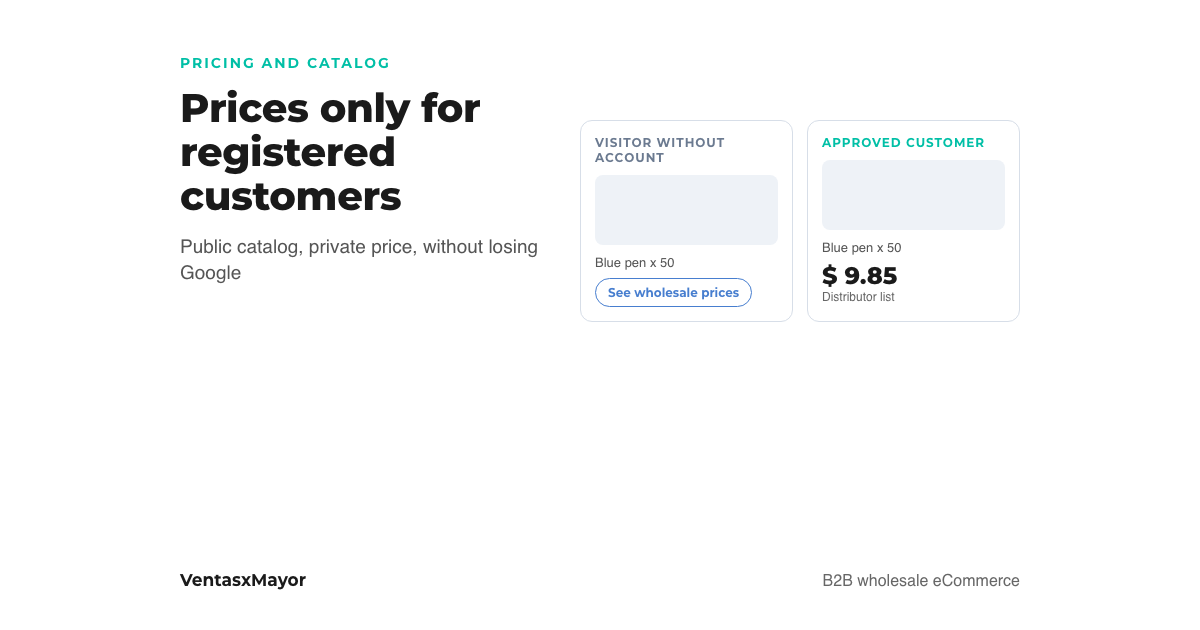
The fear is always the same and it is reasonable: "if I publish the wholesale price, my competitors see it, my customer's customer sees it, and the person who buys one unit and then complains sees it". So many wholesalers end up with a padlocked store and a "request access" sign, and then wonder why nobody finds it on Google and why a sign-up takes a week to turn into an order.
Hiding the price and hiding the store are two different things. This article compares the three ways to show prices only to registered customers, explains what happens to Google with each, how a sign-up with approval filters without scaring people off, and why the password is where most sign-ups get lost.
The three ways to hide wholesale prices
| Mode | What the visitor sees | What Google sees | Sign-ups | Who it suits |
|---|---|---|---|---|
| Public catalog without prices | Products, photos, descriptions and a "see wholesale prices" button | The whole catalog: every product can rank | High: the visitor already saw what you sell | Most wholesalers |
| Public base price, real price after login | A general list price; the approved customer sees their list's price | Catalog with prices: it also ranks for "price" | Medium: whoever sees the base price decides whether it works for them | Those who also sell to the public or do not mind the list price being visible |
| Closed store | A landing page and the access form | Nothing: there are no pages to index | Low: only those who already know the brand sign up | Brands with selective distribution or a closed channel |
The public catalog without prices is the option that works best for almost everyone: the store searching for "[product] wholesale" finds the product, sees it exists and asks for the price by signing up. The closed store protects the price at the cost of not existing for anyone who does not already know the brand.
How sign-up with approval works
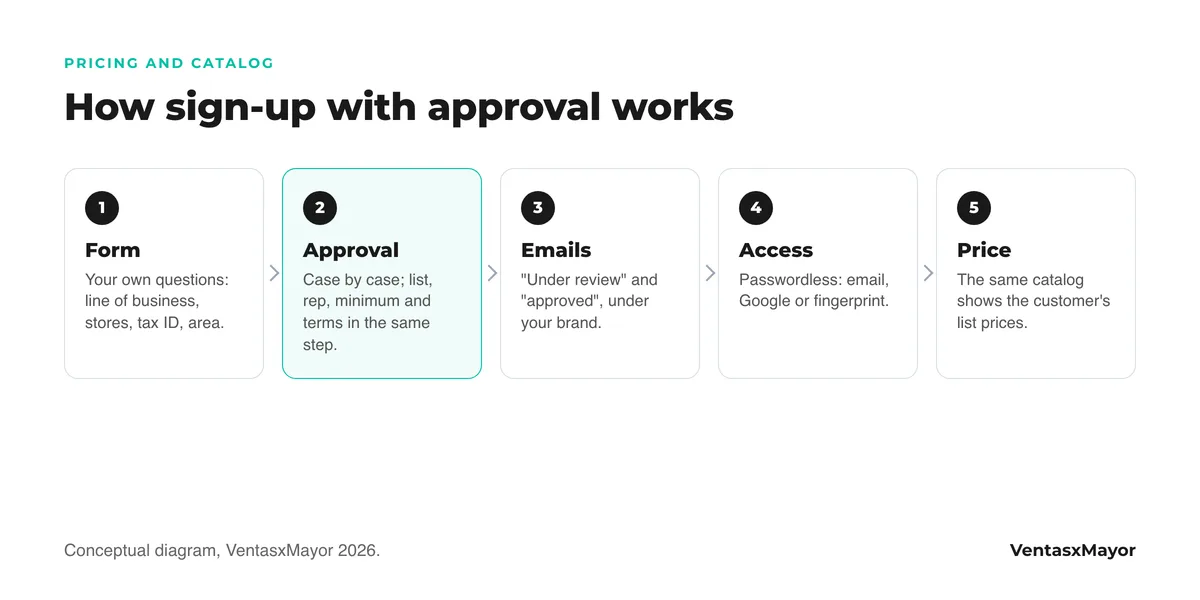
Hiding the price works if on the other side there is a filter that lets the real wholesale buyer through and stops the rest. That filter is sign-up with manual approval, and it is built like this:
- Your own questions on the form. Type of business, number of stores, estimated volume, area, tax ID. Every request arrives with the data to decide whether it is a real wholesale buyer, and the answers stay on the customer record.
- Case-by-case approval. Nobody gets in on their own. On approval you pick the price list, the rep, the minimum order and the payment terms; on rejection, the one-unit buyer stays out without an argument.
- Automatic emails under the business's brand. "Your request is under review", "you are approved": they go out on their own, from your own domain, with the text you write. That is where the minimum order and lead time go, before the first order.
- Passwordless access. The buyer types their email and gets an access link, or signs in with the Google or Microsoft account they already have open; from the second visit, with the device's fingerprint. Choosing a password, confirming it and remembering it are three decisions before the first price, and many sign-ups die there.
- The price appears instantly. As soon as they are approved and log in, the same catalog they browsed without prices shows their list's prices. There is no second catalog and no PDF to send.
What happens to Google with each option
Google indexes what it can see without an account. With the public catalog without prices, every product has its page with title, photo and description: the store can show up when someone searches "[product] wholesale" or "[category] distributor". With a closed store there is nothing to index, and the only way to arrive is to type the brand.
What does not work is a badly done middle ground: a public catalog where the price is "hidden" with a design trick but still sits in the page's code. Google reads it anyway, and so does the competitor. The price has to not exist on the page until the customer logs in, not be covered up.
The difference in sign-ups between the three options is told better by the buyer than by theory: two out of three B2B buyers prefer to sort things out on their own, without a rep; the one who finds the catalog, sees the product exists and can ask for the price in the same place, signs up. The one who hits a padlock goes to find another supplier.
- 2/3of B2B buyers prefer remote interactions or digital self-service over in-person visitsMcKinsey B2B Pulse, 2024
- 80%of B2B sales interactions happen in digital channels from 2025, according to Gartner’s projectionGartner, 2020
How VentasxMayor solves it
In VentasxMayor you choose what the visitor without an account sees: the catalog without prices, the base price or nothing. Sign-ups arrive with the questions you configure and are approved or rejected case by case from Customers, picking at that moment the price list, the rep, the minimum order and the payment method. Every step triggers an email under the business's brand with the text you write.
The buyer logs in without a password: with their email, with Google, Microsoft or Yahoo, or with the device's fingerprint from the second visit. There is no "create account" on one side and "sign in" on the other: they type their email and, if the account exists, they are in; if not, it is created in the same step. And from their portal they see their orders, repeat the last one and ask to be notified when a product is back.
Checklist to hide the price without hiding the store
- A public catalog with photos, descriptions and categories Google can index.
- Price absent from the page for visitors, not covered by a design trick.
- A "see wholesale prices" button on every product that leads to sign-up.
- Three or four sign-up questions that filter out consumers: line of business, store, tax ID, area.
- Case-by-case approval, with price list and minimum assigned in the same step.
- "Under review" and "approved" emails under your own brand with the minimum order written in.
- Passwordless access: email, Google or fingerprint.
- Approval time measured: under one business day.
- Price PDFs withdrawn: the price lives in the store.
Frequently asked questions
How do I hide prices from people who are not registered?+
With a wholesale store that has a public-catalog-without-prices option: the visitor sees products, photos and a sign-up button; the approved customer sees their list's prices on login. In a consumer store it takes a separate app, and it usually leaves the price in the page code.
Does a closed wholesale store show up on Google?+
Only the landing page, if it is public. Products behind the login are not indexed, so nobody arrives searching for what it sells: only those who already know the brand. The public catalog without prices keeps the indexing and still hides the price.
How do I keep consumers from signing up?+
With sign-up questions (line of business, store, tax ID, area) and manual approval: every request arrives with the data and is approved or rejected case by case. Nobody gets in on their own, and the one-unit buyer stays out without a WhatsApp argument.
Should wholesale sign-up require a password?+
It is not needed and it costs sign-ups: the wholesale buyer signs up while working, from the counter or the road, and every extra step before the first price is an order that gets postponed. Access by email link, Google or the device's fingerprint is just as secure and leaves no password to recover.
Sources
Next step
Public catalog, private price and sign-up with approval
In VentasxMayor you choose what the visitor sees, sign-ups arrive with the questions you define and are approved case by case with each customer's price list. The buyer logs in with their email, no password, and sees their price instantly.
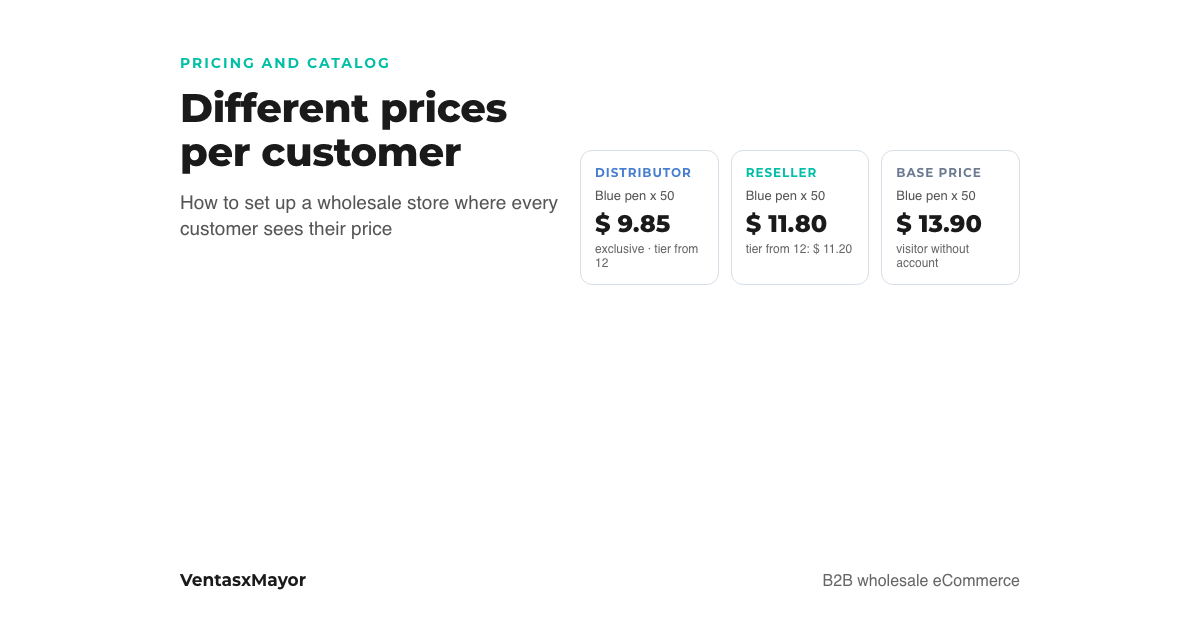
How to set up a wholesale online store with different prices per customer
Price lists by buyer type, per-customer discounts and volume tiers: how they combine, how to set up the store step by step and what a visitor without an account sees.
B2B customer portal: what it is, what it needs and how to roll it out
What a B2B customer portal is, what it needs for a wholesaler, how it differs from a rep portal and an online store, and how to launch it in five steps.
B2B vs B2C online store: key differences and how to choose the right one
Pricing, catalogs, credit and buying process: the operational differences between B2B and B2C models and when to combine them.