
What is Meta Pixel + Conversions API?
The Conversions API (CAPI) creates a direct connection between your server and Meta, complementing the Pixel that runs in the browser. Together they form a robust tracking system that doesn't rely exclusively on cookies or the user's browser.
When a wholesaler visits your store, browses products, or places an order, those events are sent to Meta through two channels: the Pixel (browser) and the Conversions API (server). Meta automatically deduplicates events, giving you a complete and accurate view of every interaction.
Benefits for your wholesale business
- Lower cost per action: ad blockers and browser loading errors affect the Conversions API less than the Pixel alone. Using them together makes the connection more reliable, reducing your cost per conversion.
- B2B campaign optimization: optimize your ads based on actions at the end of the customer journey, like confirmed orders or subscriptions. Meta shows your ads to wholesale buyers most likely to convert.
- Precise measurement: measure attribution and ad performance across the entire customer journey, from discovery to conversion. Understand how your digital advertising investment impacts both online and offline results.
- More event matches: send additional customer information parameters to increase match quality. More matches mean more efficient data and better-targeted campaigns.
- Greater data control: by implementing the Conversions API, you control exactly what data you share with Meta and when, complying with privacy best practices.
How does it work?
The Conversions API creates a direct and reliable connection between your store's marketing data (website events and conversions) and Meta. This marketing data helps improve ad personalization, optimization, and measurement so that ads are shown to people most likely to find them relevant.
With VentasxMayor, the integration is ready out of the box. You just need to generate your Pixel ID and Access Token in Meta Business Suite, enter them in your admin panel, and that's it: your store starts sending events automatically.
Step-by-step configuration
Follow these steps to connect Meta Pixel + Conversions API to your wholesale store:
1. Access Meta's Event Manager
Go to the Event Manager in Meta Business Suite: business.facebook.com/events_manager2
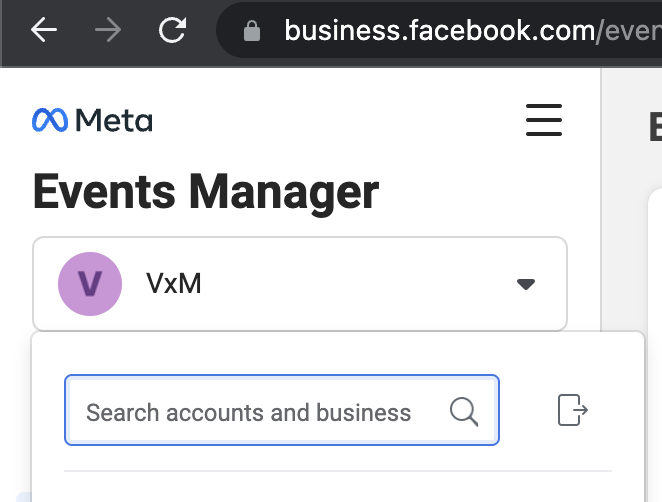
2. Select your account
Select the desired account in the selector at the top left:
3. Connect a data source
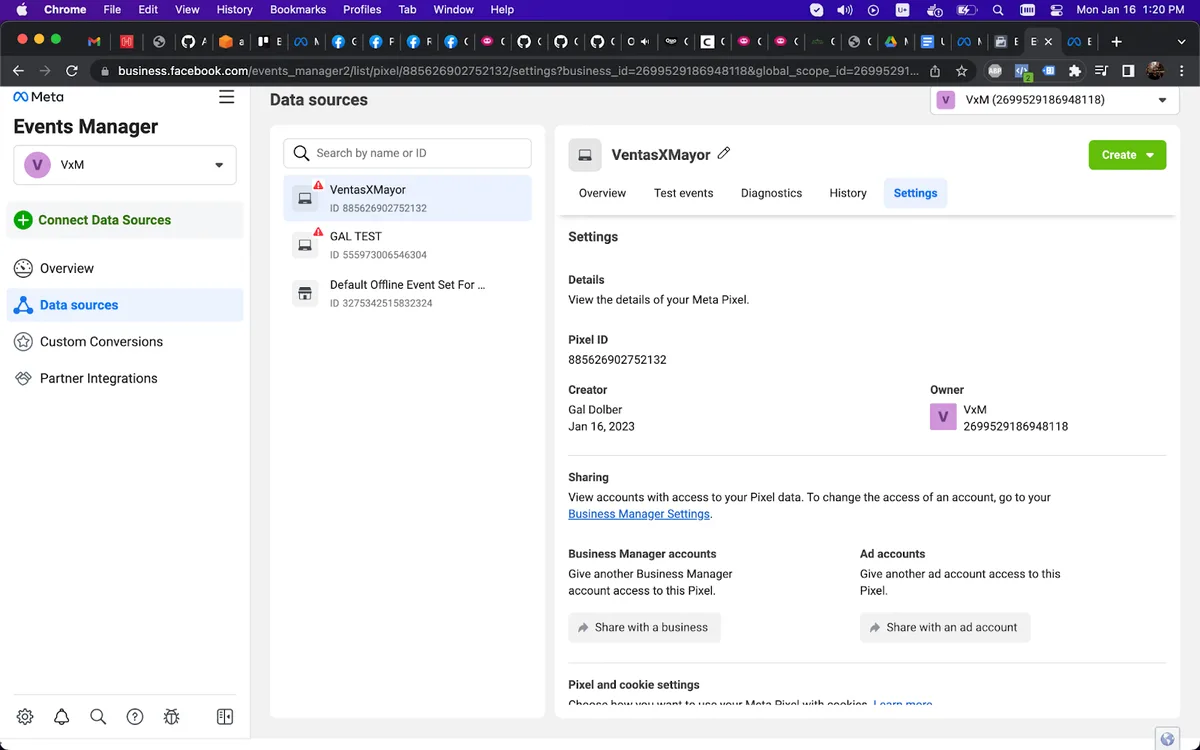
Click on Connect Data Sources:
4. Select Web
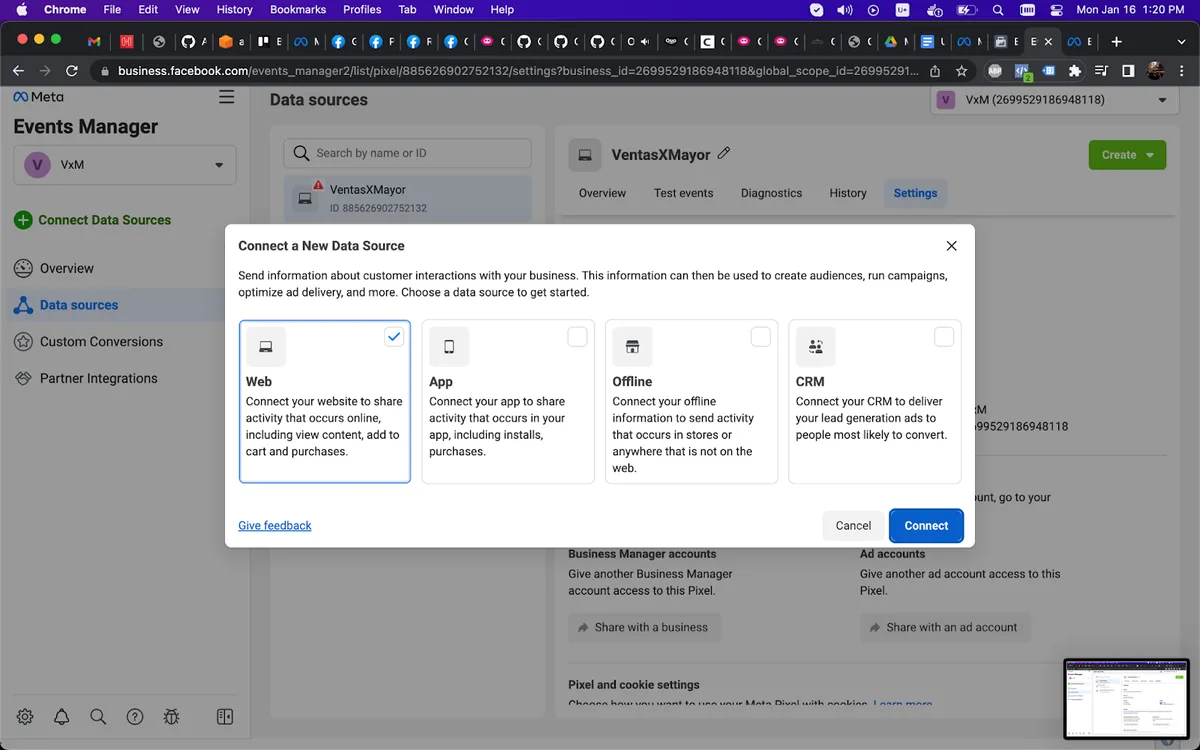
Select Web as the data source type and continue:
5. Name your Pixel
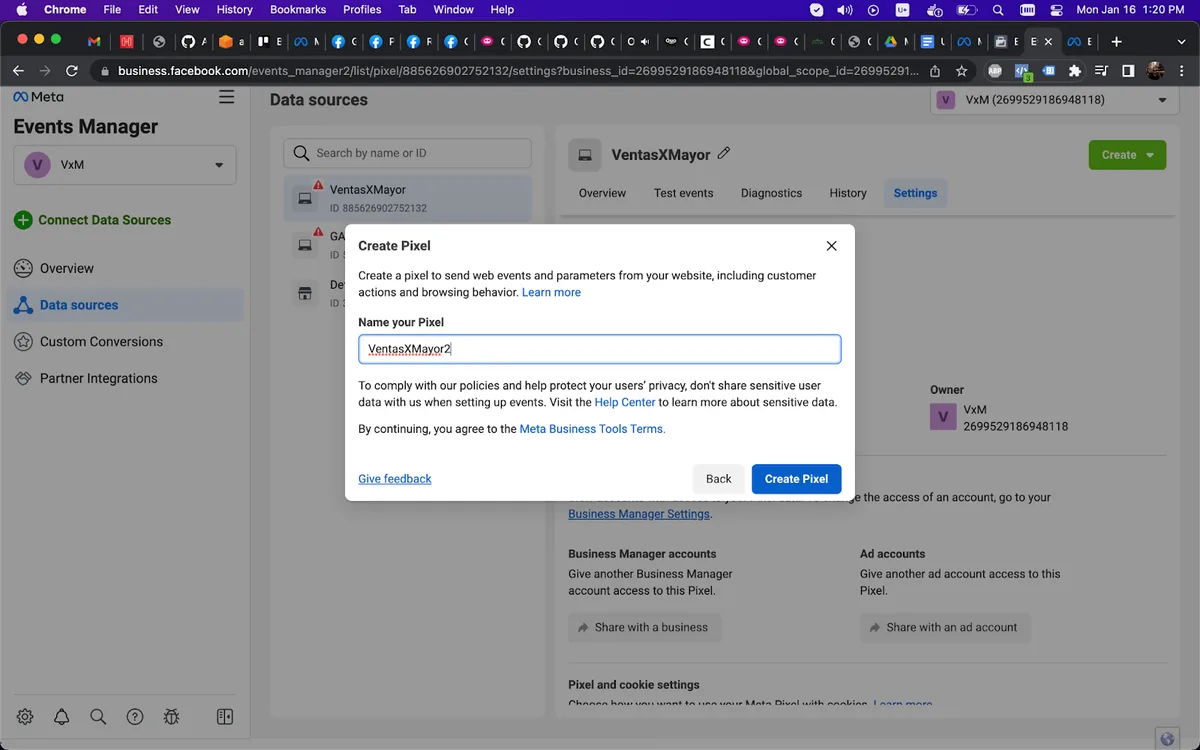
Enter a descriptive name (e.g., "My Wholesale Store") and continue:
6. Enter your domain
Enter your store's web address, deselect "Integrate with Google Tag Manager" and continue:
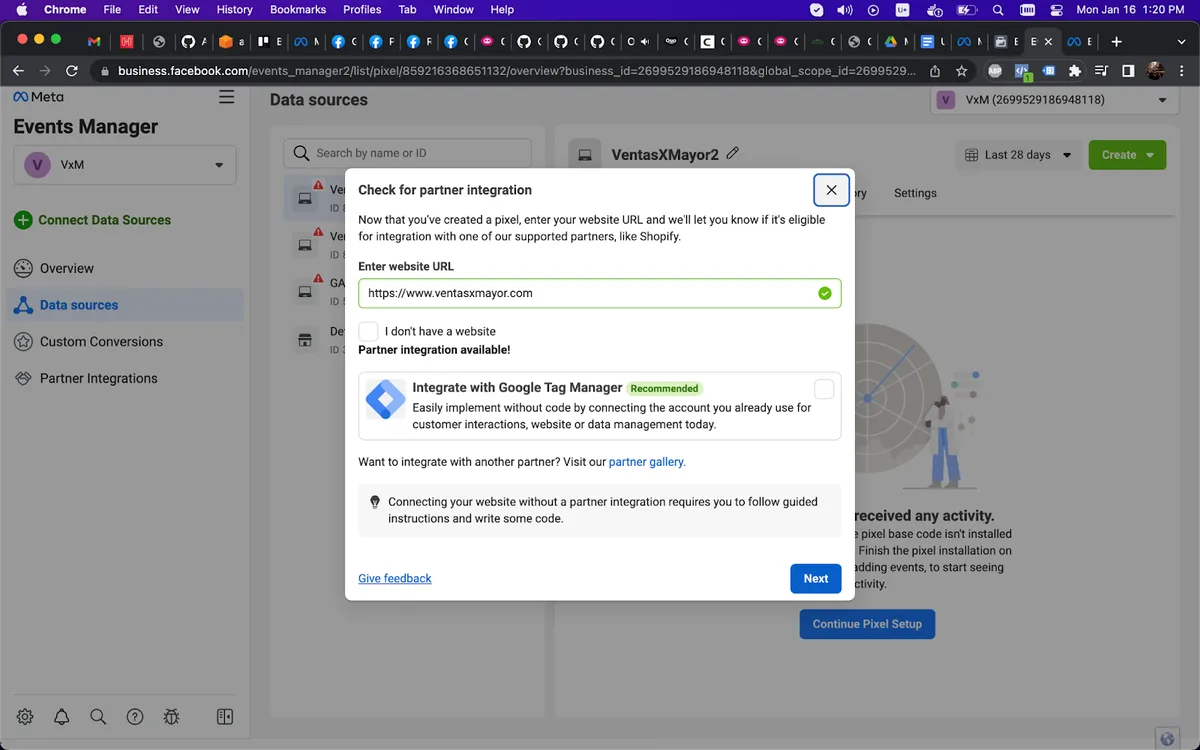
7. Choose Conversions API + Meta Pixel
Select Conversions API and Meta Pixel for full tracking (browser + server) and continue. Close the final window with the X.
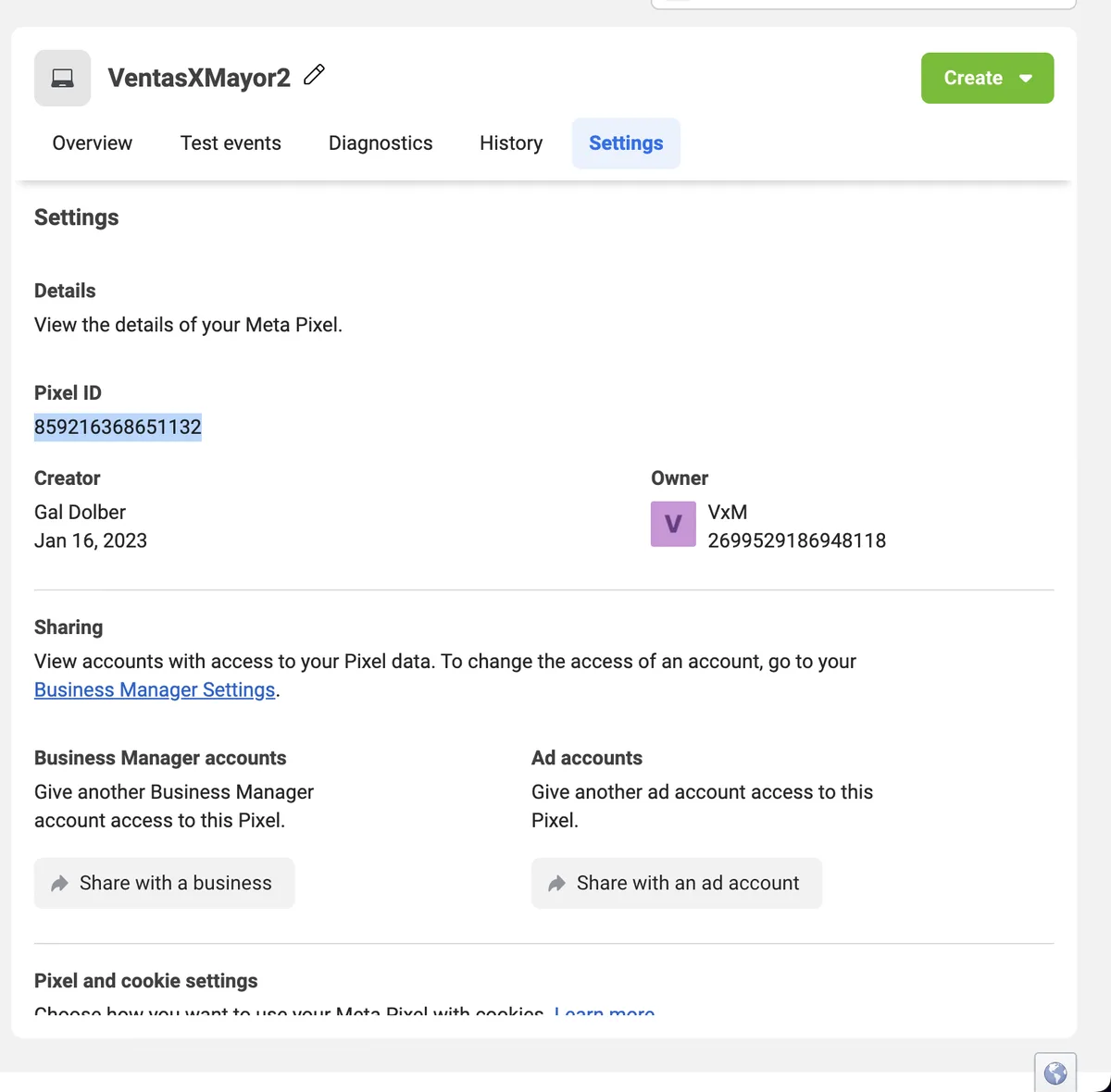
8. Copy your Pixel ID
Go to Settings and copy your Pixel ID:
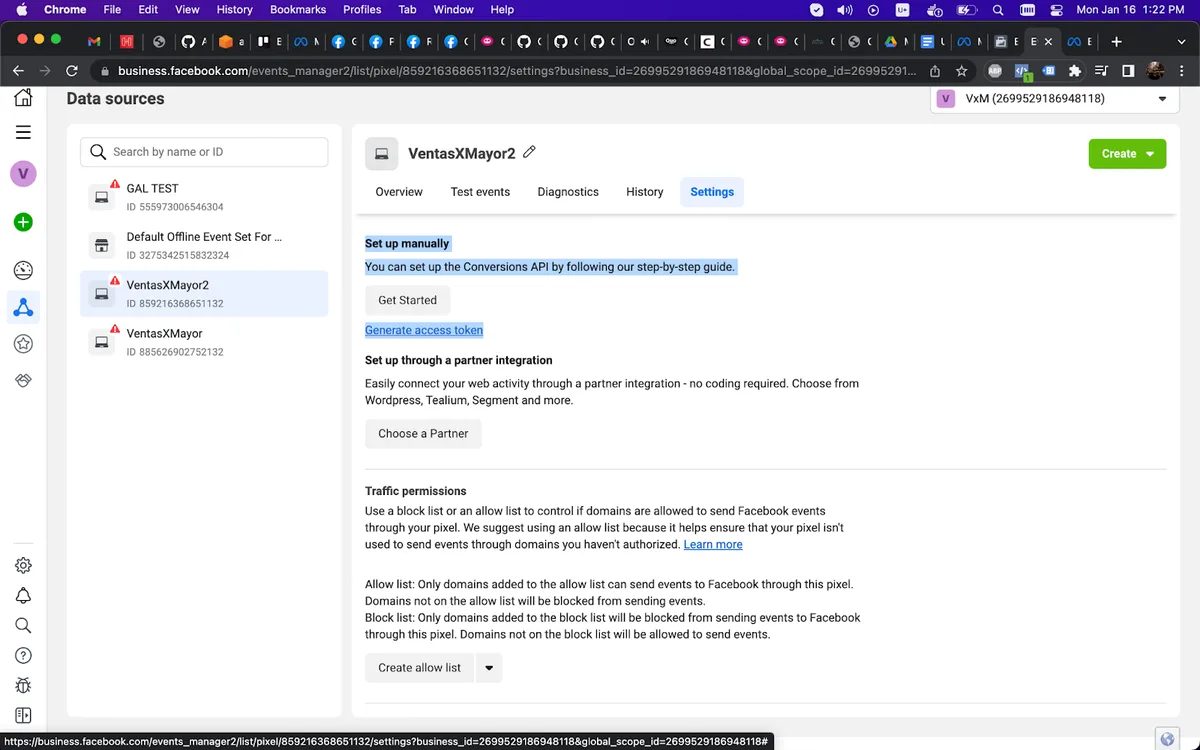
9. Generate your Access Token
In Settings, scroll down to Set up manually and click Generate access token:
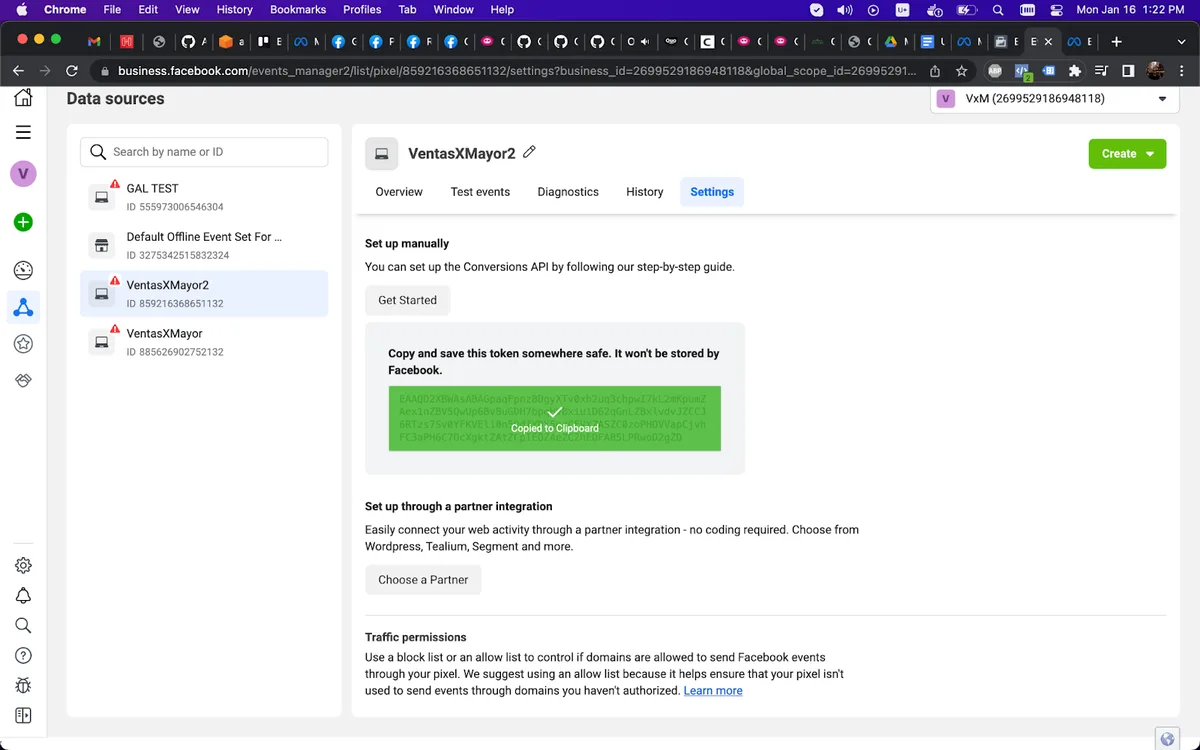
Copy the generated token:
10. Enter the data in your admin panel
Enter the Pixel ID in the META Pixel field and the token in the META Token field. Save changes to finish.
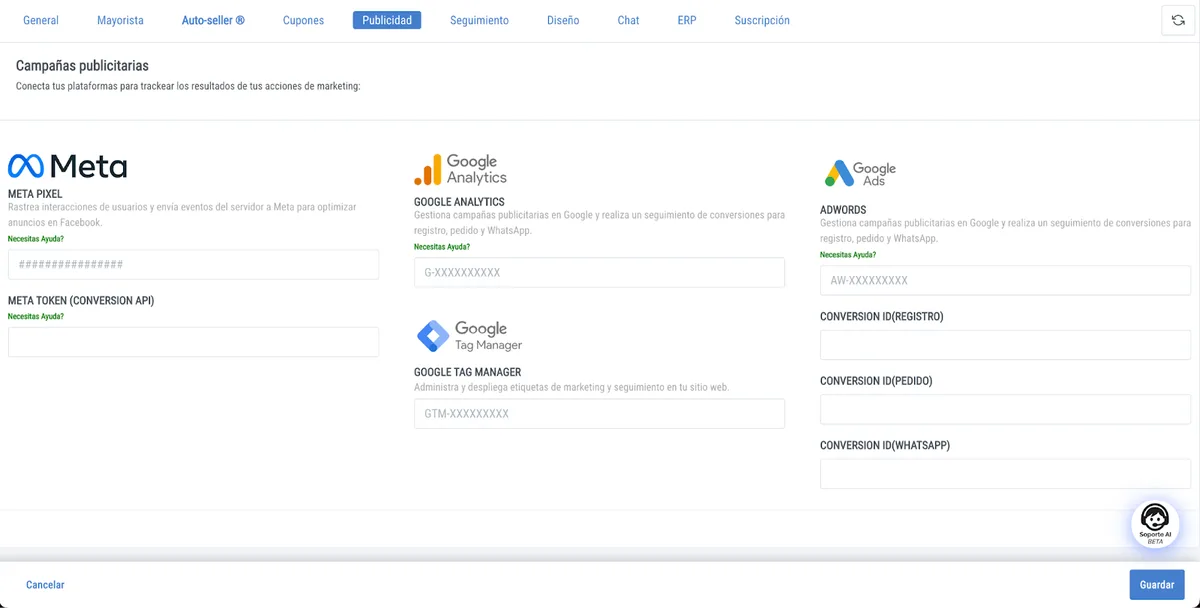
Done! Your wholesale store is now sending events to Meta. You'll start receiving conversion data to optimize your B2B campaigns.


